Tables, preparation, payments, inventory and oversight on a shared foundation.
 UNORIA3 months free
Connected restaurant and bar operations
Manage your business from one place
UNORIA connects tables, orders, preparation, payments, inventory, your team and reports in one experience built for clarity, speed and control.
Offer for eligible new businesses. Pilot activation and final scope are subject to an operational review.01TableOpen
02OrderSent
03PreparationPreparing
04RegisterUp to date
Connected operationsConceptual example
What is UNORIA?
One connected operation. All your information together.
UNORIA is a management platform for bars, restaurants, cafés and entertainment venues. It connects tables, orders, the bar, kitchen, register, inventory and team in one system. Your team records daily activity while owners review sales, reports and updates from a phone or computer, even when away from the business.
Your business, united in UNORIA.
The name UNORIA is inspired by “uno”, the Spanish word for “one”: one place to connect everything happening in your business. From the first order to closing the register, it brings your operation together and turns data into clear insights for decisions, wherever you are.
Review available operational information by module and location.
Enable only the features your business actually uses.
Each person accesses only the actions needed for their responsibilities.
Reduce duplicate entries, scattered messages and unnecessary searching.
Choose the app appearance that suits your preferences and workspace lighting.
UNORIA Hospitality
From the floor to the report, every step stays connected.
A workflow designed for bars, restaurants, cafés, clubs, nightclubs and on-site hospitality businesses.
- 01Table
Opens with the correct permissions and location.
- 02Order
The server records items, quantities, add-ons and notes.
- 03Dispatch
Each item reaches its configured preparation station.
- 04Preparation
The bar, kitchen or assigned station confirms receipt, preparation and delivery.
- 05Register
View the latest activity and record authorized payments.
- 06Management
Oversee operations and review available reports.
- 07Inventory
Reflect configured stock movements when the relevant features are enabled.
Available features depend on each business’s configuration, permissions and enabled capabilities.
Conceptual example
See operations at every stage.
Visual examples of the product concept. They do not represent a session connected to real data.
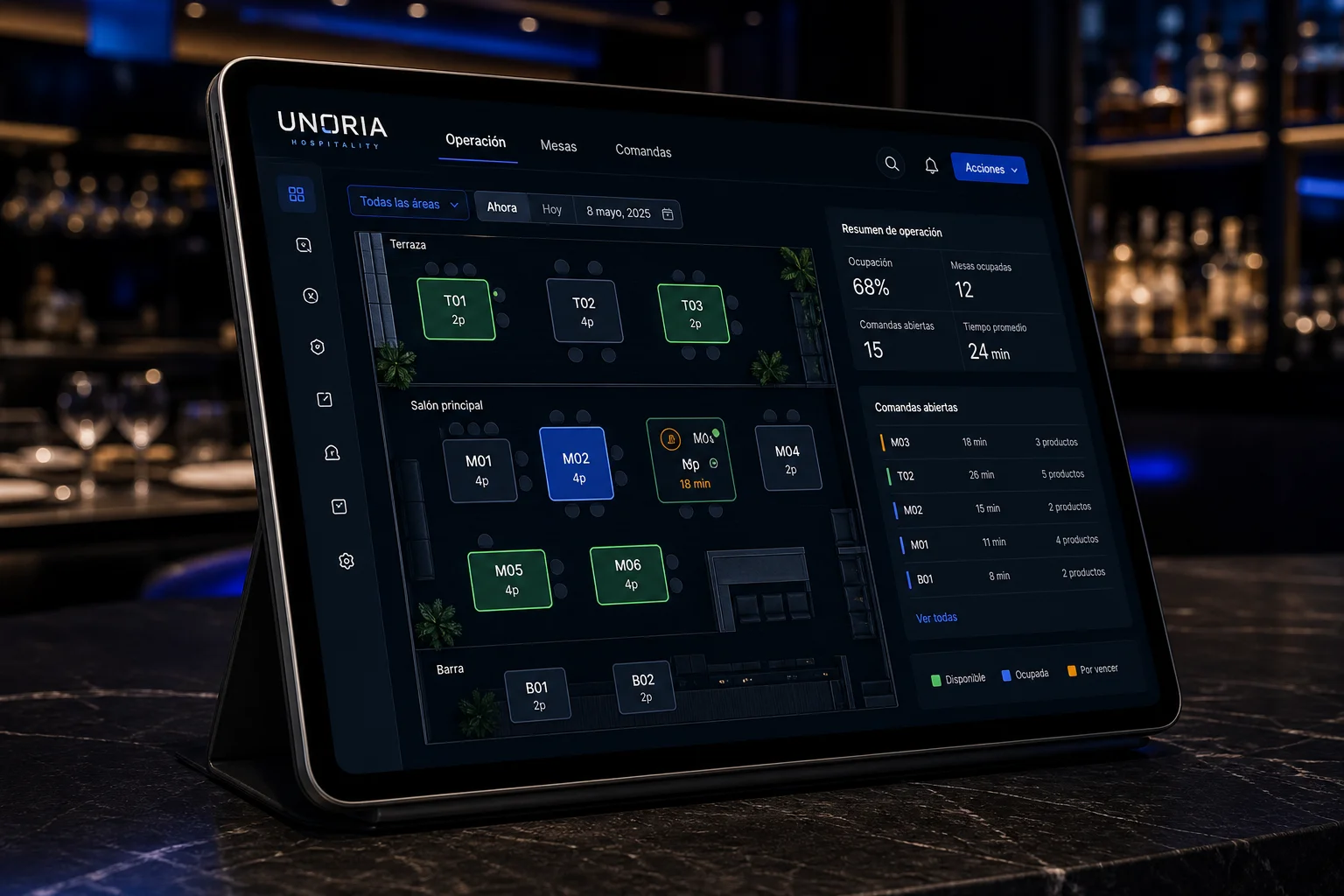
Tables
Your entire floor, with direct access to operations.
See available and open tables, review current totals and open the related order within the correct location.
- Customer reference and guest count
- Guided opening and operational updates
- Location-level separation
- Permissions to prevent unauthorized table openings
Main floorConceptual example
Table 04 · OrderConceptual example
2 ×Classic burgerNo onion · medium
1 ×Sparkling water355 ml serving
Updated total$1,240
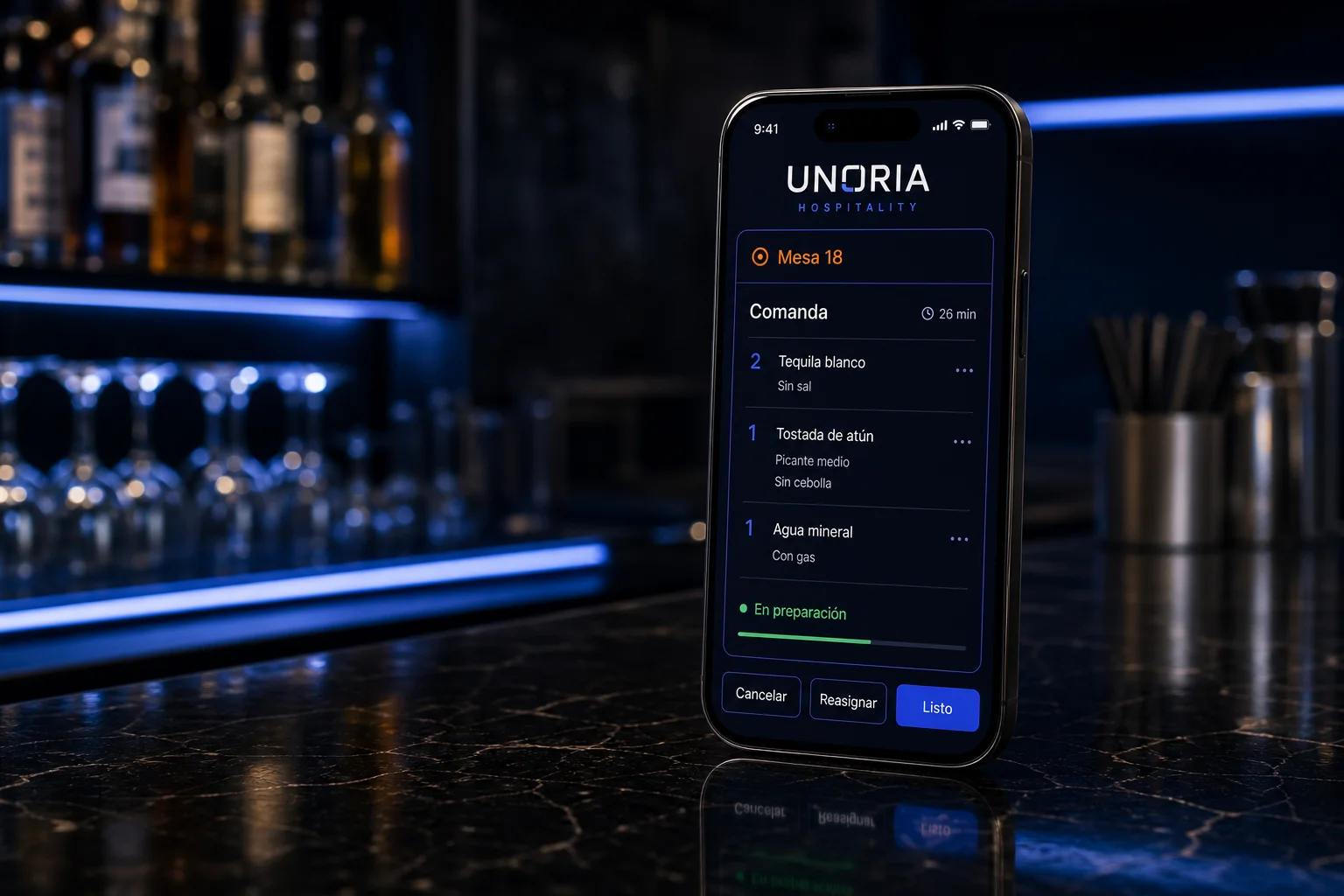
Orders
Accurate entry and controlled changes.
Record products, sizes, quantities, add-ons and notes using the appropriate menu or price list.
- Correct table assignment
- Dispatch to preparation and updated totals
- Traceable cancellations and corrections
- Role-based permissions and duplicate-operation prevention
Sensitive changes follow the permissions and operational controls configured for each role.
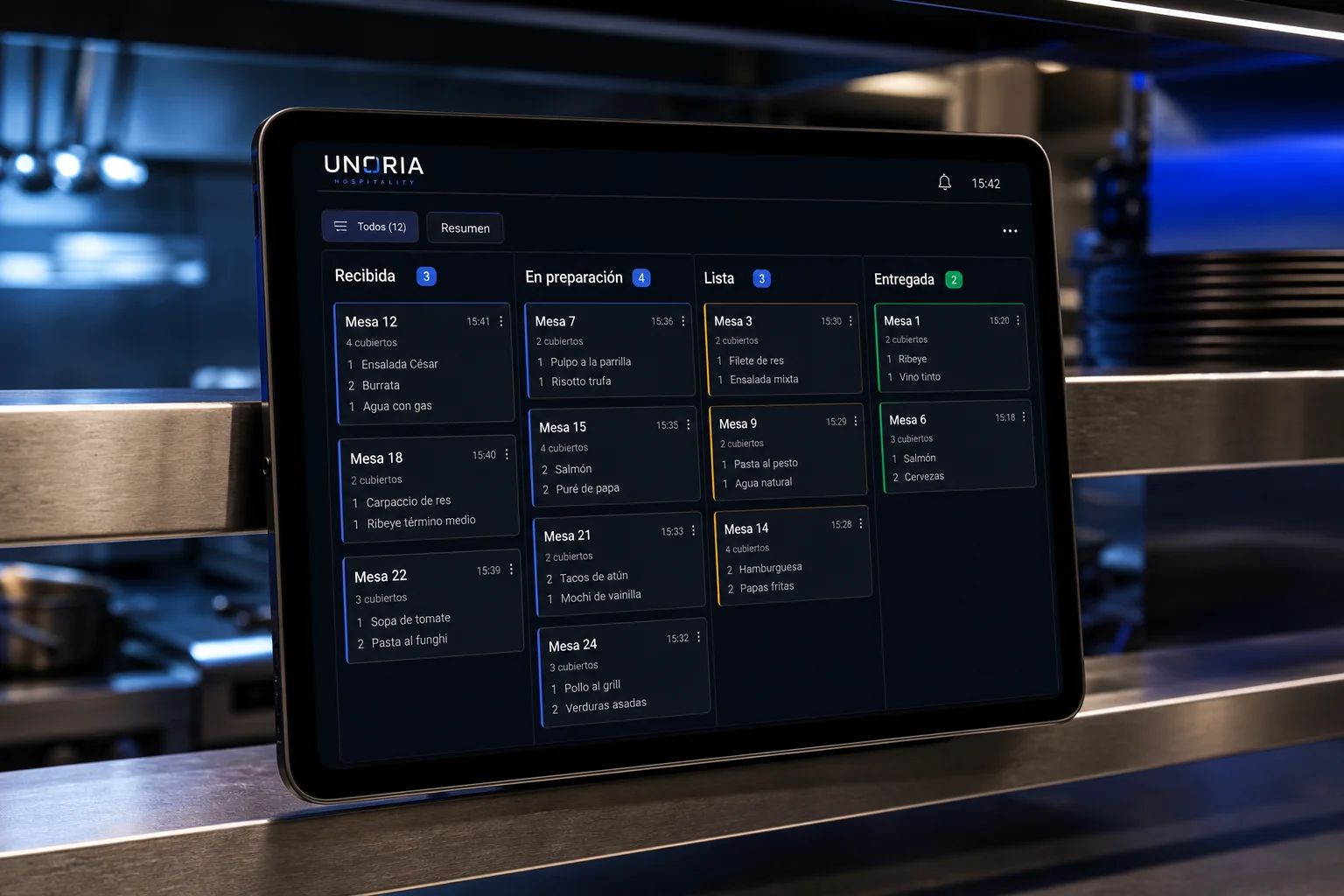
KDS and preparation
A digital display to organize what needs preparing.
The kitchen display system (KDS) receives and organizes items for the bar, kitchen or other configured preparation stations.
- Station separation and visibility of pending items
- Preparation status and delivery confirmation
- Coordinated updates and state recovery
- Dedicated preparation permissions
- Digital and printed orders by configured station
KDS scope is defined by each business’s stations, devices and processes.
Shared terminal
One PC for the team. Individual access for everyone.
Staff can use the business terminal with a personal PIN. Each member keeps their permissions and their actions are linked to their identity.
Unlock your workspace on the shared PC without sharing your account password. The terminal must be configured and authorized for the business.
Lock the terminal when finished so the next person can use their own PIN. Access follows each role’s permissions.
Send digital orders to configured stations and print orders and receipts on compatible equipment. You can also share a digital receipt through its link or QR code.
The PIN provides access within the shared terminal. Printing requires a compatible printer and prior setup. Digital stations and print destinations are configured for each business.
Register and payments
Authorized payments, clear closeouts and traceability.
Cashiers see updated totals and the transactions needed to reconcile operations.
Control register sessions according to current permissions.
Cash, card and bank transfers with references, breakdowns and table-level lookup.
Reconciliation and visibility of discrepancies for review.
Managers correct payments while the register is open, preserving the change history.
Available payment methods and integrations are confirmed during business setup.
Inventory
Track what comes in, moves, gets used and gets counted.
Each business can enable only the inventory tools it needs.
InventoryConfigured for your business
StockroomsReceiptsAdjustmentsStock transfersWasteCountsReceipts, returns, allocations and authorized movements.
Available when the corresponding feature is enabled.
Count by size, track recipe consumption and allocate beer units by server. Allocated stock stays at the bar.
Shown when these tools are enabled.
Available when the business has the required features and reliable data.
Team and shifts
Everyone knows how their shift is going.
Servers review activity and record attendance from their home screen. Managers bring the information together to oversee the team.
Validate location at check-in and check-out, according to business settings and with device permission. Operational staff must check in before opening tables or sending orders.
Cash, card and transfer totals; open and closed tables; best-selling items and beer and bottle units.
Business updates for your team, with push notifications when enabled on a compatible device.
Geolocation
Attendance starts in the right place.
Set your business location and an attendance area to validate team check-ins.
Location is checked when recording attendance, with device permission. This example does not show live tracking.
My shiftIllustrative example · no real data
Each server’s information is shown according to their account permissions.
Configurable system
Your business does not have to work like everyone else’s.
Authorized managers can enable or disable features based on operations, location and available permissions.
TablesKDSRegisterInventoryRecipesSuppliersPurchasingBatchesExpiry datesStock transfersCostsReportsTeamAudit trailLight / dark mode
Management and permissions
Each role sees and controls what it needs.
Configuration remains with authorized managers and follows least-privilege principles.
Authorized tables and orders.
KDS items assigned to their station.
Authorized register and payment operations.
Operational oversight based on permissions.
Business configuration and administration.
Business indicators and location reports with read access based on the authorized profile.
Conceptual example
ORIA
Intelligence to understand your business.
ORIA is envisioned as a read-only advisory experience to help explain authorized business and location information.
Sales and periodsAverage checkTop productsPayment methodsRegister summaryInventory alertsLocation comparisonsNatural-language questions
ORIA will provide insights and will not perform operational actions such as opening tables, canceling orders, collecting payments, adjusting inventory or changing staff records.
Reports and oversight
Understand your sales and activity at every location.
Review updated information based on enabled features, time zone and profile permissions.
Indicator accuracy depends on the quality and availability of the configured data.
Owner dashboard
Your business at a glance, wherever you are.
Bring sales, payments, tables and team performance into one dashboard. Review best-selling items and each server’s summary in the context of your business.
UNORIADemo · Fictional dataExplore the menu options. All figures and messages are examples.
WELCOME
Hello, Sebastián
View your business from:
Tetiaroa, French Polynesia
Business pulse
Shift payments
Sales by server
Best-selling products
Shift overview
Open-table consumption$18,600
Authorized discounts$1,200
Complimentary items$800
Cancellations2
Open-table consumption is shown separately from collected sales.How notifications reach your phone
Receive business updates and tap the notification to read the full message in your Inbox.
Visual simulation with fictional data. Actual notifications require your permission and a compatible device.
9:41▥ Wi-Fi ▰
Your business, with you
Select “Simulate a push notification” to receive a sample notice.
Security
Control and separation by design.
UNORIA organizes access by identity, role, business and location so each person works within the appropriate context.
A separate identity for every team member.
Actions based on authorized responsibilities.
Separation of the relevant operational context.
Access limited to the necessary context.
Traceability and control of sensitive operations.
The minimum access needed for each role.
Pricing per location
Know your investment from the start.
One location, with no additional fee per employee. All amounts are in Mexican pesos (MXN).
Month-to-month flexibility
Monthly
$1,723.28 + VAT per month
VAT: $275.72
Total: $1,999.00 per month
One subscription per location.
Request informationPay for 10 months, get 12
Annual
$17,232.76 + VAT per year
VAT: $2,757.24
Total: $19,990.00 per year
Save $3,998.00 including VAT compared with 12 monthly payments.
Request informationInitial setup · one-time fee per location
$2,500.00 + VAT $400.00 = $2,900.00
Includes initial menu and price entry, table and role setup, and one training session. The fee may be waived with a code or UNORIA authorization.
Each additional location requires its own plan at the same price and its own initial setup, unless waived. Hardware, visits, physical installation, third-party fees and custom development are quoted separately.
New business offer
Start with 3 months free
Try UNORIA in your operation and discover how to bring tables, orders, preparation, payments, inventory and management together.
I want to try UNORIALet’s talk
Discover a clearer way to run your business
Tell us about your business. We will contact you to understand your operation, answer your questions and define the right scope.